


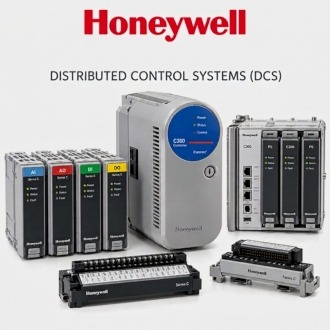
Connecting Field Evidence to Honeywell 8LS1-4PG
Honeywell 8LS1-4PG is organized around loop and cabinet evidence so a buyer or maintenance team can connect the model to a documented position without assuming an unverified function.
| Brand | Honeywell |
|---|---|
| Normalized model | 8LS1-4PG |
| Product context | Honeywell automation item requiring exact label and installed-system confirmation |
| Website category | Honeywell / DCS |
| Enquiry basis | Exact label, associated reference, cabinet position, wiring documents, quantity and destination |
Terminal mapping
Document the terminal boundary associated with Honeywell 8LS1-4PG from approved drawings and current field evidence. Record terminal designations, connector names and cable references only when verified. Do not infer pinouts from a similar model. Before any disconnection, label conductors and retain an as-found record. Final wiring must follow Honeywell instructions and the site's qualified engineering procedures.
Channel assignment
Record channel or point assignments around Honeywell 8LS1-4PG with the configured tag, service description, cabinet position and source document revision. Compare configuration records with field labels and drawings. Resolve duplicated or missing assignments before replacement. The same 8LS1-4PG can support different applications, so a model number alone must not be used to recreate configuration or channel mapping.
Exact model identity
Use 8LS1-4PG as the normalized identity for Honeywell 8LS1-4PG. Preserve every letter, digit and suffix in the title, asset record, drawing note and enquiry. Compare the physical label with the source line before work begins. When another identifier appears, record it separately. A normalized spelling improves search and traceability but does not prove function, revision or compatibility.
Loop documentation
Build the loop or circuit context for Honeywell 8LS1-4PG using the current loop sheet, cabinet drawing, point database and field inspection. Identify the signal path and connected equipment only where evidence supports it. Mark unused, spare and uncertain channels distinctly. This record helps maintenance understand the surrounding system without turning an unverified product listing into an installation instruction.
Redline control
Create controlled redlines when field evidence around Honeywell 8LS1-4PG differs from the approved drawing. Show the exact position, terminal, cable or associated identifier affected, then route the change through the site's document process. Do not erase the original reference or update unrelated equipment from assumption. After approval, replace temporary redlines with the current issued revision and retain the audit trail.
Configuration closeout
Close the technical file for Honeywell 8LS1-4PG by updating affected drawings, loop records, asset data and maintenance history. Record whether 8LS1-4PG was installed, left in place, returned or quarantined. Link test results and unresolved actions to an owner. This closeout gives the next enquiry reliable context while keeping each repeated model occurrence and work event separately traceable.
