


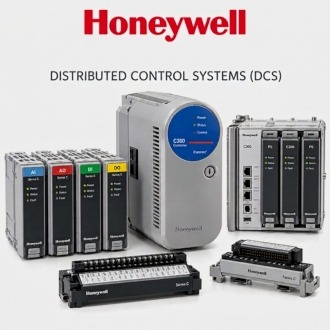
Resolving the Installed Role of Honeywell TP-DSOEP1-100
Treat Honeywell TP-DSOEP1-100 as one controlled technical identity linked to a specific request. The stated context is Honeywell control-system module or component requiring installed-function confirmation; repeated records can retain separate quantities and destinations while using distinct filenames and preserving the normalized model.
| Brand | Honeywell |
|---|---|
| Normalized model | TP-DSOEP1-100 |
| Product context | Honeywell control-system module or component requiring installed-function confirmation |
| Website category | Honeywell / DCS |
| Enquiry basis | Exact label, quantity, condition, installed-system context and destination |
Model transcription
Use TP-DSOEP1-100 as the normalized model and preserve every character. The source line's separate reference is not separately stated in the source line. Store that value in a supporting part or drawing field instead of combining it with the model. Compare readable product and package labels with the request. Any revision, suffix, non-Latin character, slash or companion number must be resolved before Honeywell TP-DSOEP1-100 is approved for purchasing or warehouse receipt.
Associated asset
Link Honeywell TP-DSOEP1-100 to its parent equipment and installed hierarchy. Record plant, unit, system, cabinet, chassis or rack, carrier, slot and associated module as applicable. Include drawing and work-order references. If the item is not currently installed, list the assets it is intended to support. This relationship explains why the spare exists and prevents an orphan stock record with no accountable equipment owner.
Inventory data
Create one controlled material record for Honeywell TP-DSOEP1-100. The working context is Honeywell control-system module or component requiring installed-function confirmation. Populate manufacturer, normalized model, short description, long description, material owner, criticality, condition options and document links. Avoid duplicate master records created from punctuation, spacing or alphabet differences. When a repeated listing represents another requirement, retain the transaction separately while linking it to the same normalized technical identity.
Component hierarchy
Position Honeywell TP-DSOEP1-100 in the maintenance bill of materials. Identify parent assembly, required quantity per asset, interchangeable positions, mandatory companion parts and tools or accessories. Distinguish an illustrated-parts reference from a site-approved spare. Record the engineering basis for adding or changing the BOM. A catalogue match alone does not prove that the component belongs in every similar cabinet or system revision.
Material type
Classify Honeywell TP-DSOEP1-100 deliberately as repairable, rotable, insurance spare, project material, consumable or inspection-required stock. Define permitted conditions such as new, repaired or surplus and the documents required for each. Assign storage and valuation treatment according to site practice. Clear classification helps purchasing and stores handle the item consistently without weakening the technical acceptance criteria.
Vendor evidence
Ask suppliers to quote Honeywell TP-DSOEP1-100 as a separate line with normalized model, quantity, condition, price, lead time, warranty, origin, offer validity and delivery term. Require label photographs, revision, serial or date information, repair status, included accessories and packing details. Structured returns make offers comparable and provide the fields needed to create or update vendor and purchasing records without copying ambiguous free text.
Receipt hold points
Receive Honeywell TP-DSOEP1-100 against the purchase order, master record and evidence pack. Verify model, supporting reference, revision, quantity, unit of issue, condition and promised documents. Inspect packaging, connectors and physical state, then photograph labels before stock release. Quarantine discrepancies and record the reason. Do not silently change the material description to make a delivered item appear to match the order.
