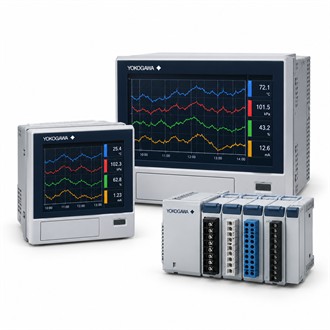
Product Fit and System Interfaces for Yokogawa DX1012-3-4-2/A1/R1/AS1
Yokogawa DX1012-3-4-2/A1/R1/AS1 is listed as paperless recorder. This technical guide starts with the model identity and summary table, then follows the selection decision from application requirements to interfaces and accepted package scope. Keep the complete DX1012-3-4-2/A1/R1/AS1 designation on all enquiry and service documents.
| Selection point | Specification / confirmation |
|---|---|
| Representative model | DX1012-3-4-2/A1/R1/AS1 |
| Product family | DX1012 |
| Listed product | DX1012 DAQSTATION Recorder |
| Representative code | DX1012-3-4-2/A1/R1/AS1 |
| Selection note | Verify complete code, interfaces and scope |
Selection basis
For Yokogawa DX1012-3-4-2/A1/R1/AS1, compare the supplied nameplate and code with the approved application records. Resolve suffix, interface or scope differences before replacement or installation, and retain the final as-built configuration for future service. Use Yokogawa DX1012-3-4-2/A1/R1/AS1 as the exact reference when checking compatibility and documenting the final selection.
Configuration checks
This Yokogawa DX1012 code is listed as a DAQSTATION paperless recorder. Verify the channel and option arrangement for the required data task. For Yokogawa DX1012-3-4-2/A1/R1/AS1, start with the equipment nameplate, the application requirement and the connected system. Keep the complete DX1012-3-4-2/A1/R1/AS1 code in the enquiry so the supplied version is not confused with a similar family member or an accessory with a different function. Use Yokogawa DX1012-3-4-2/A1/R1/AS1 as the exact reference when checking compatibility and documenting the final selection.
Pre-order checks
- Nameplate and exact model
- Application/process fit
- Compatible system or sensor
- Acceptance documentation
Maintenance handover
Confirm input count/types, recording interval, storage/export, communications, installed options, supply and mounting. Compare the full Yokogawa DX1012-3-4-2/A1/R1/AS1 designation with the installed hardware, signal or process interface, mounting and environmental conditions. Confirm each option against current manufacturer documentation; do not infer a code feature from appearance or a shortened model name. Clarify what is included with DX1012-3-4-2/A1/R1/AS1 and which supporting items are separate. Use Yokogawa DX1012-3-4-2/A1/R1/AS1 as the exact reference when checking compatibility and documenting the final selection.
Procurement information
Include Yokogawa DX1012-3-4-2/A1/R1/AS1, quantity, equipment tag, application, operating conditions, required interfaces and package boundary in the enquiry. Attach a current nameplate, wiring/process drawing or system datasheet when available. Identify any separately supplied accessories, sensors, cables, converters, terminal assemblies or licenses. Verify the offered DX1012-3-4-2/A1/R1/AS1 configuration and acceptance documents before order release.
Related configuration codes
- DX1012-3-4-2/A3/C3