Hirschmann EAGLE40-4F-ROUTER , 942333001 for industrial network security: port layout and deployment review
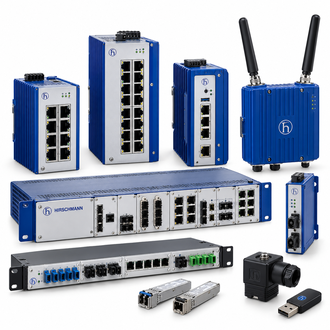
The Hirschmann EAGLE40-4F-ROUTER is an industrial firewall and router for protecting a network segment at the field level. Belden identifies order number 942333001 for this model. The full enquiry string is retained here as EAGLE40-4F-ROUTER , 942333001; the common collage is a category reference rather than an exact device photograph.
Key technical data
| Technical item | Verified value / selection note |
|---|---|
| Product type | EAGLE40-4F-ROUTER |
| Manufacturer part number | 942333001 |
| Primary Ethernet interfaces | 4 × Gigabit RJ45 |
| Other interfaces | USB 2.0 and one RJ45 serial interface for RS-232/422/485 |
| Supply | Dual 12–24 V DC in manufacturer datasheet |
| Security role | Stateful inspection firewall; IPSec VPN and routing functions in product data |
| Mounting | 35 mm DIN rail |
| Configuration check | Confirm HiSecOS version, security policy and network architecture |
Network security depends on the deployed rules as well as the EAGLE40-4F-ROUTER hardware. Confirm ownership of the current policy and backup before placing a spare into service.
Define the protected boundary
Use EAGLE40-4F-ROUTER to separate industrial traffic according to the approved security architecture. Before ordering, draw the LAN and upstream connections, identify required address ranges and list the permitted services. Four physical Gigabit ports do not by themselves define a secure policy.
Preserve the existing policy
A replacement EAGLE40-4F-ROUTER must carry the correct firewall rules, routes, VPN keys and management settings. Export a verified configuration backup through the approved procedure and record the software version. Do not place a default-configured unit into a live protected segment simply because the physical ports match.
Keep the exact EAGLE40-4F-ROUTER , 942333001 wording, the official product record and the installed equipment evidence together in the order file.
Hardware fit and site power
Belden lists a dual 12–24 V DC supply and DIN-rail construction for EAGLE40-4F-ROUTER. Check power redundancy, grounding, serial maintenance access and enclosure temperature. Keep service clearance for RJ45 cabling and secure the unit in the planned cabinet zone.
Acceptance testing
After installation, test both allowed and denied traffic paths, route failover if configured, logging and remote administration. Verify that the EAGLE40-4F-ROUTER reports the expected link and security state. Record the accepted configuration and owner so later changes can be reviewed.
Similar-looking model and order references
Other EAGLE-looking codes are indexed below as possible enquiry references. EAGLE20, EAGLE30, EAGLE40 and EAGLEONE can have different ports, software or security roles; no direct interchangeability with EAGLE40-4F-ROUTER is implied.
Final enquiry check
For EAGLE40-4F-ROUTER, match the full printed type, order number and installed interface. Ask for written confirmation if the offered unit differs in code, revision or included accessories. Retain the site approval and receiving result with the EAGLE40-4F-ROUTER asset record.
A useful quotation for EAGLE40-4F-ROUTER includes condition, availability, documentation and return terms as well as the technical reference. Test the delivered item in the actual application under the site's authorized maintenance procedure.