


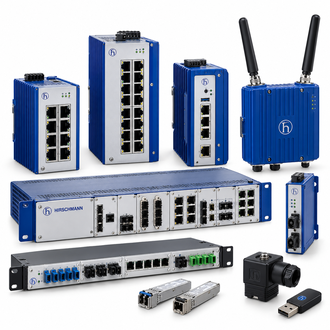
Hirschmann MIPP/AD/1L9P fiber patching module for industrial cabinets and protected network connections
Hirschmann MIPP/AD/1L9P is a modular industrial patch-panel configuration for fiber termination and connection to active equipment. The Belden configurator identifies one single fiber module with six LC OS2 duplex adapters and twelve pigtails. The shared main-image collage is illustrative, not the exact MIPP/AD/1L9P assembly.
Key technical data
| Technical item | Verified value / selection note |
|---|---|
| Complete configuration | MIPP/AD/1L9P |
| Product line | Hirschmann Modular Industrial Patch Panel (MIPP) |
| Module count | One single fiber module in manufacturer configurator |
| Adapters | Six LC OS2 duplex adapters, blue |
| Pigtails | Twelve included in the stated module configuration |
| Mounting | Standard 35 mm DIN rail for MIPP system |
| Order check | Confirm housing, module and full configuration code before purchase |
For MIPP/AD/1L9P, specify the passive fiber connections and full assembly contents before discussing cabinet fit. Connector appearance alone cannot confirm the fiber or adapter specification.
Define the termination plan
Count incoming and outgoing fibers before specifying MIPP/AD/1L9P. Match LC adapter count, duplex pairing and OS2 fiber type to the installed cable and the active switch optics. The panel is a passive connectivity component; it does not perform Ethernet switching or optical conversion.
Keep the exact MIPP/AD/1L9P wording, the official product record and the installed equipment evidence together in the order file.
Confirm the physical assembly
Belden describes the MIPP platform as a DIN-rail-mounted industrial patching system. For MIPP/AD/1L9P, check whether the quotation includes the required housing, fiber module, pigtails and accessories as a complete usable set. Verify cabinet depth, splice-tray clearance and cable entry direction.
Installation and test record
Route and strain-relieve fibers without exceeding the cable bend limit. Label each LC pair and document the connected switch ports. After installing MIPP/AD/1L9P, inspect end faces and perform continuity, polarity and insertion-loss testing against the project specification.
Variant selection
MIPP code fragments can look very similar while representing different adapter styles, fiber counts or copper modules. Keep the complete MIPP/AD/1L9P configuration in the purchase request. Ask for a configurator printout when the offered part contains additional slash-separated options.
Similar-looking model and order references
The following MIPP designations are grouped because their names and product form look related. Adapter type, fiber mode, module count or copper/fiber mix may differ; none is assumed equivalent to MIPP/AD/1L9P.
Final enquiry check
For MIPP/AD/1L9P, match the full printed type, order number and installed interface. Ask for written confirmation if the offered unit differs in code, revision or included accessories. Retain the site approval and receiving result with the MIPP/AD/1L9P asset record.
A useful quotation for MIPP/AD/1L9P includes condition, availability, documentation and return terms as well as the technical reference. Test the delivered item in the actual application under the site's authorized maintenance procedure.
