


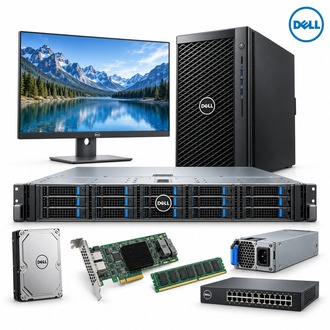
Single-socket rack deployment with PowerEdge R350
PowerEdge R350 is a 1U PowerEdge server for infrastructure and application workloads that fit a single-socket platform.
Platform specification
| Selection point | Specification / confirmation |
|---|---|
| Exact model | PowerEdge R350 |
| Platform | Dell PowerEdge R350, 1U rack server |
| Processor | One Intel Xeon E-2300 series or supported Intel Pentium processor |
| Memory | Four DDR4 DIMM slots; platform support and speed depend on CPU and DIMMs |
| Drive options | Up to four 3.5-inch or eight 2.5-inch SAS/SATA hot-plug drives, by chassis |
| Power | Single or redundant AC power supply options depend on build |
| Deployment | Confirm exact backplane, controller, rail kit, service tag and firmware |
Other R350-family configurations
- R350 HDD SAS
- R350/E-2324G/16GB/600GB SAS 15k 2.5*4
Match storage to the chassis
For PowerEdge R350, first determine whether the selected front chassis accepts four 3.5-inch or eight 2.5-inch hot-plug SAS/SATA devices. Verify each listed option against the actual backplane, drive carriers and controller. Specify the intended RAID or HBA mode and validate supported firmware before building PowerEdge R350.
Use the full system part number and service tag to distinguish the base R350 platform from an individually configured server.
Rack acceptance sequence
- Confirm rail type, rack depth, airflow and service clearance.
- Reconcile processor, DIMM, drive, controller and PSU with the approved quote.
- Set iDRAC, firmware baseline, network identity and alert routing.
- Test storage health, backup, operating-system support and restore procedure.
Operations record for PowerEdge R350
Record the service tag, drive map, memory population, firmware, PSU arrangement and rack location for PowerEdge R350. Keep the exact R350 configuration separate from the family-level description so a future parts request can match the installed system. Include PowerEdge R350 in the approved asset and maintenance records.
Use PowerEdge R350 as the platform search term and verify all selected options against the Dell configuration label before deployment.
