


A practical field record for Pepperl+Fuchs ICA-AI-I/U-IO-V1
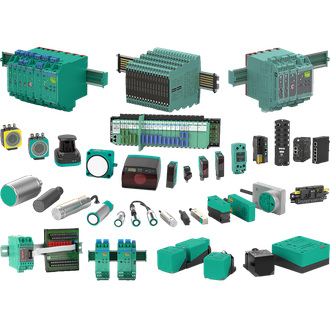
Pepperl+Fuchs ICA-AI-I/U-IO-V1 is a analog-to-IO-Link converter selected to transfer an analog sensor signal to an IO-Link master. The full ICA-AI-I/U-IO-V1 code is the identification anchor for this page. The shared main montage illustrates the Pepperl+Fuchs category and is not a photograph of this exact option. Before using ICA-AI-I/U-IO-V1 as a spare, compare the installed label and project drawing with the current manufacturer documentation.
Technical specification and identity
| Technical item | Verified value / selection note |
|---|---|
| Exact model | ICA-AI-I/U-IO-V1 |
| Product role | analog-to-IO-Link converter |
| Analog input | 0/4 to 20 mA or 0/-10 to 10 V, configurable |
| IO-Link | Revision 1.1, COM2 |
| Supply | 18 to 30 V DC |
| Protection | IP67 |
| Variant check | Confirm the complete designation and current manufacturer documentation before replacement. |
Question 1 — Does the interface match?
Start with the real duty of ICA-AI-I/U-IO-V1: transfer an analog sensor signal to an IO-Link master. Then trace what connects to ICA-AI-I/U-IO-V1, including its power source, input or target, outgoing signal and mechanical support. Set the input mode, check the M12 ports and restore IO-Link parameters. Record the actual site settings and the parts that are supplied separately. This matters because a near-identical type string can conceal a different output, connection, dimension or approval.
Question 2 — What should be recorded first?
For installation of ICA-AI-I/U-IO-V1, document the existing assembly before disturbing it. Photograph the full label, terminals, cable exits, brackets and adjacent modules; mark conductors and save any controller or software configuration. Compare voltage, polarity, loading and environmental limits against the exact ICA-AI-I/U-IO-V1 technical record. If ICA-AI-I/U-IO-V1 is part of a safety or hazardous-area circuit, the site-approved design and certificates take precedence over an appearance match.
Question 3 — What proves operation?
After fitting ICA-AI-I/U-IO-V1, prove its function in the completed system, not merely its power-on indication. Apply a known field condition, read the downstream controller or diagnostic tool, and repeat at both normal and limiting conditions. For ICA-AI-I/U-IO-V1, set the input mode, check the m12 ports and restore io-link parameters. Capture the observed readings, alarm states and any parameter changes so the maintenance record explains why ICA-AI-I/U-IO-V1 was accepted.
Question 4 — What is the complete order?
When asking for ICA-AI-I/U-IO-V1, include the entire type code, quantity, installation location, applicable approval, mating connector or board and required accessories. Ask a supplier to confirm the exact ICA-AI-I/U-IO-V1 designation in writing. A proposed equivalent must be checked independently for electrical behavior, mounting, software and certifications. The related codes below are search and identification references; they are not a declaration that they interchange with ICA-AI-I/U-IO-V1.
Related-looking designations
The following strings resemble ICA-AI-I/U-IO-V1 in the supplied product family. Their full suffixes may change function, ratings, mechanical fit or approval; consult each exact manufacturer's record before a substitute is used.
No additional same-pattern designation is grouped with ICA-AI-I/U-IO-V1 here. An alternate part still needs a separate exact-code check.
Close-out note
For future service of ICA-AI-I/U-IO-V1, retain the final wiring diagram, settings, test result and replacement reference together. Recheck the data for ICA-AI-I/U-IO-V1 if the connected controller, process conditions or regulatory setting changes. The table describes the named ICA-AI-I/U-IO-V1 where a value is stated; do not extend those values automatically to another listed code.
