


Identify and verify Pepperl+Fuchs IO-LINK-MASTER02-USB before replacement
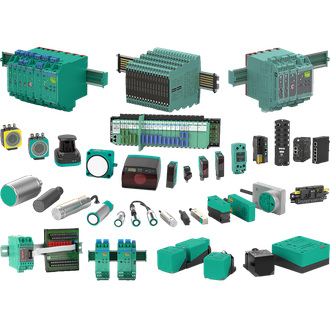
Pepperl+Fuchs IO-LINK-MASTER02-USB is a single-port IO-Link USB master used to parameterise an IO-Link device from a service computer. This service brief separates the confirmed identity of IO-LINK-MASTER02-USB from the installation choices that must be checked on site. The shared Pepperl+Fuchs main image is an illustrative category montage, not an exact photograph of IO-LINK-MASTER02-USB. Use the complete designation on the fitted label when enquiring or replacing the part.
Technical parameters at a glance
| Technical item | Verified value / selection note |
|---|---|
| Exact model | IO-LINK-MASTER02-USB |
| Product role | single-port IO-Link USB master |
| IO-Link ports | 1 |
| Host interface | USB |
| Field connection | M12 |
| Use | Commissioning and parameter access |
| Variant check | Confirm the complete designation and current manufacturer documentation before replacement. |
1. Capture the installed record
Before ordering IO-LINK-MASTER02-USB, photograph the nameplate and document what is connected on each side of the device. Check supply, signal or mechanical interface, mounting, environmental exposure and the receiving controller. The table is a compact technical reference for IO-LINK-MASTER02-USB; a similar printed string can denote another function, rating or certification. Retain any parameter backup and the current drawing with the maintenance record.
2. Define the process duty
In operation, IO-LINK-MASTER02-USB is intended to parameterise an IO-Link device from a service computer. Establish the real input condition, the expected output response and the acceptance limit. Where an accessory, receiver, host card, reflector or magnet is required, include that matched part in the bill of materials. Do not infer that the picture or a neighbouring model code establishes compatibility for IO-LINK-MASTER02-USB.
3. Install and prove
At installation, Check the M12 field port, USB driver and any required external supply. Confirm power is isolated where required and compare the connector or terminals against the current manufacturer documentation for IO-LINK-MASTER02-USB. Verify safe-area and hazardous-area boundaries where applicable; the exact certificate and site wiring govern the final decision. Leave enough clearance for the fitted cable and normal service access.
Commission IO-LINK-MASTER02-USB with an observable, known condition rather than only checking an indicator lamp. Record at least two input states and their controller responses, then test the edge of the real working range where practical. If IO-LINK-MASTER02-USB is part of a safety or Ex installation, use the site's approved proof-test procedure and exact approval documents. Save settings, photos and measured results so a later replacement can be compared reliably.
4. Send the purchase brief
A useful quotation request for IO-LINK-MASTER02-USB includes the full code, quantity, site function, connection type, any mating accessory and required approval. Ask the supplier to confirm every changed suffix on a proposed alternative. This page does not declare that other visually similar codes are interchangeable with IO-LINK-MASTER02-USB; each requires its own data and fit review.
Visually related codes
The following model strings resemble IO-LINK-MASTER02-USB in print. They are collected for search and stock recognition only; electrical and mechanical functions can differ. Verify every complete designation independently.
No additional same-pattern designation is grouped with IO-LINK-MASTER02-USB in this selection.
Handover note
Keep the final IO-LINK-MASTER02-USB nameplate photo, fit check and test record with the machine file. Re-check the exact model whenever the host, process or installation environment changes.
