


DI810 digital input module: channel layout, 24 V DC signals and system fit
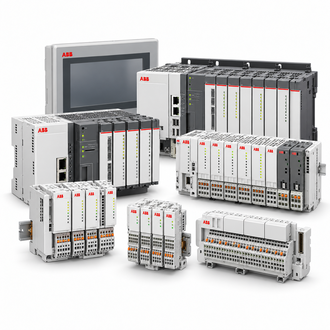
ABB DI810 is an S800 digital input module with order code 3BSE008508R1. ABB identifies a 2 × 8 arrangement for 24 V DC inputs. Check the channel grouping and the installed terminal-unit/controller configuration before planning a replacement. The category image is illustrative, not a photograph of this hardware revision.
Key technical data
| Technical item | Verified value / selection note |
|---|---|
| Order code | 3BSE008508R1 |
| Designation | DI810 |
| I/O family | ABB S800 I/O |
| Signal type | Digital input |
| Channel arrangement | 2 × 8; 16 inputs total |
| Nominal input signal | 24 V DC |
| System integration | Confirm controller, communication interface, I/O station and supported release |
| Terminal connection | Verify installed terminal-unit type and wiring |
| Revision compatibility | Check hardware revision and approved replacement status |
This overview states basic identity and channel type. Thresholds, isolation, diagnostics, environmental limits and connection behavior must be confirmed in ABB documentation for the exact hardware revision and terminal unit.
Channel layout and field signals
DI810 acquires discrete states rather than continuous analog values. Depending on the field circuit, typical points include limit switches, pushbuttons, permissives, status and interlock signals. Confirm sourcing/sinking arrangement, common/reference, polarity, shielding and grounding before wiring. A signal described simply as 24 V is not enough to establish electrical compatibility.
The 2 × 8 organization matters when mapping channel numbers to terminal rows, controller tags and alarm logic. Compare cabinet drawings with the physical terminal unit and module slot. Keep channel numbering and normally-open/normally-closed assumptions consistent across field wiring, logic and operator displays. An incorrect map can create a plausible but false process state.
Station and terminal-unit compatibility
An S800 module is part of a configured I/O station, not a standalone replacement for every system. Confirm controller, communication interface, station address, slot, terminal unit, field wiring, I/O configuration and software release. Review project restrictions and ABB manuals before moving a module between stations or revisions.
Before removal, record order code, revision, slot and diagnostics. Determine whether hot swapping is permitted for the exact module, terminal unit and process condition; do not infer a safe removal procedure from a general family statement. Follow site isolation, process bypass and change-control procedures.
Related S800 designations
These products belong to the wider S800 range but have different signal functions. They are identification references only, not DI810 substitutes: DI811, DI830 (3BSE013210R1), DO810 (3BSE008510R1) and AI810 (3BSE008516R1). Verify the electrical interface and system support for each exact device.
- DI811
- DI830 (3BSE013210R1)
- DO810 (3BSE008510R1)
- AI810 (3BSE008516R1)
Commissioning and troubleshooting
After installation, verify controller recognition, configured channel count, station diagnostics and channel data types. Test representative points end to end from field device through terminal unit to the control-system tag. Confirm alarms, permissives, interlocks, fail-state behavior and displays with the controls engineer before returning a loop to service.
For a stuck or intermittent point, check field supply/return, protection, terminal tightness, commons, device contacts, continuity and channel addressing before declaring module failure. Compare diagnostics with the controller event log and inspect heat, contamination or vibration. Preserve fault evidence before exchanging hardware.
Spare-part enquiry details
Provide a clear label photo, full code 3BSE008508R1 DI810, hardware revision, controller/station type, terminal-unit code, system release, quantity and delivery date. For a failure, include diagnostics, affected channels, wiring drawing and field-circuit checks.
The order code alone does not prove compatibility with every station or software configuration. Request confirmation against installed hardware and project design, then record the replacement revision and end-to-end test results.
